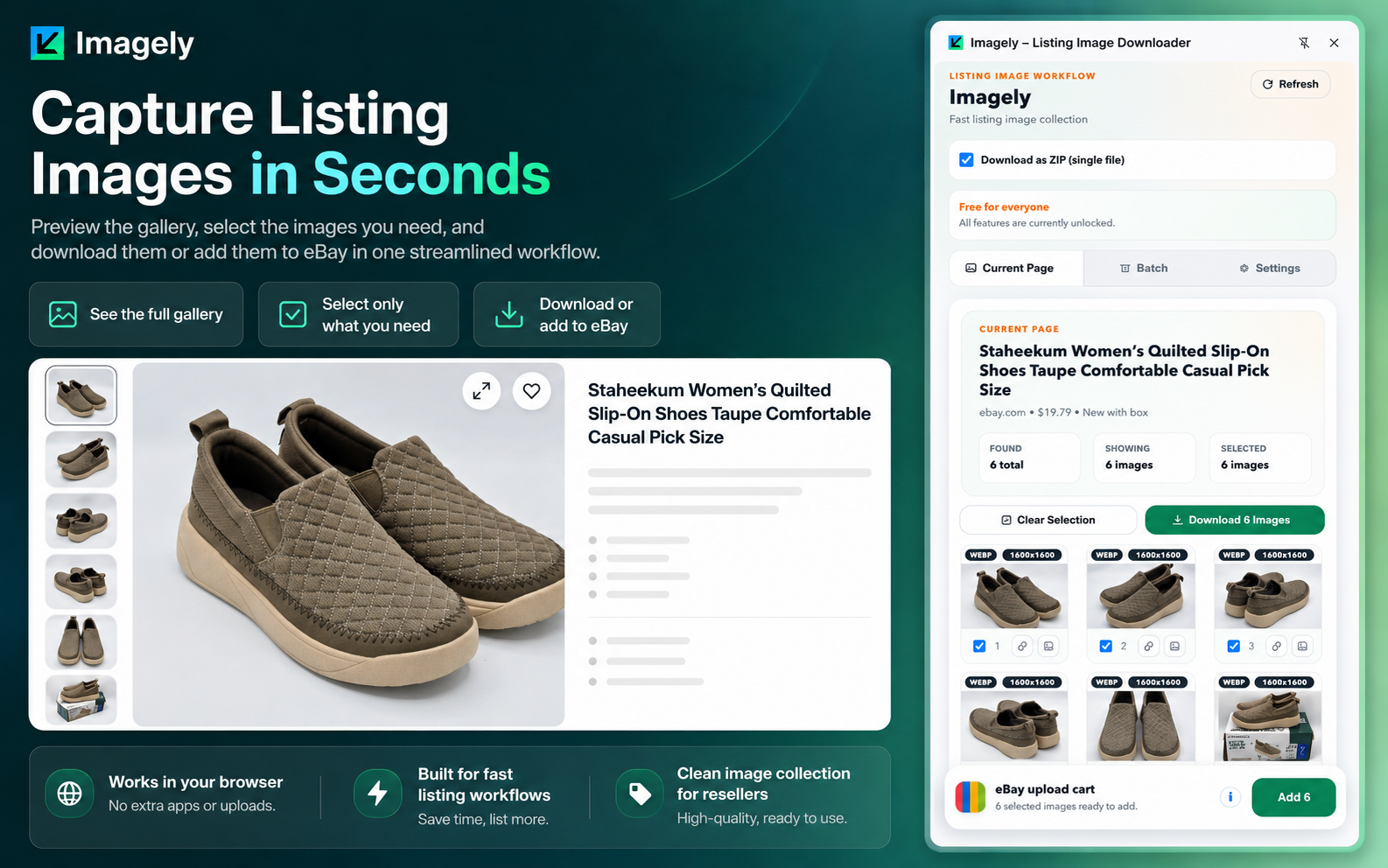
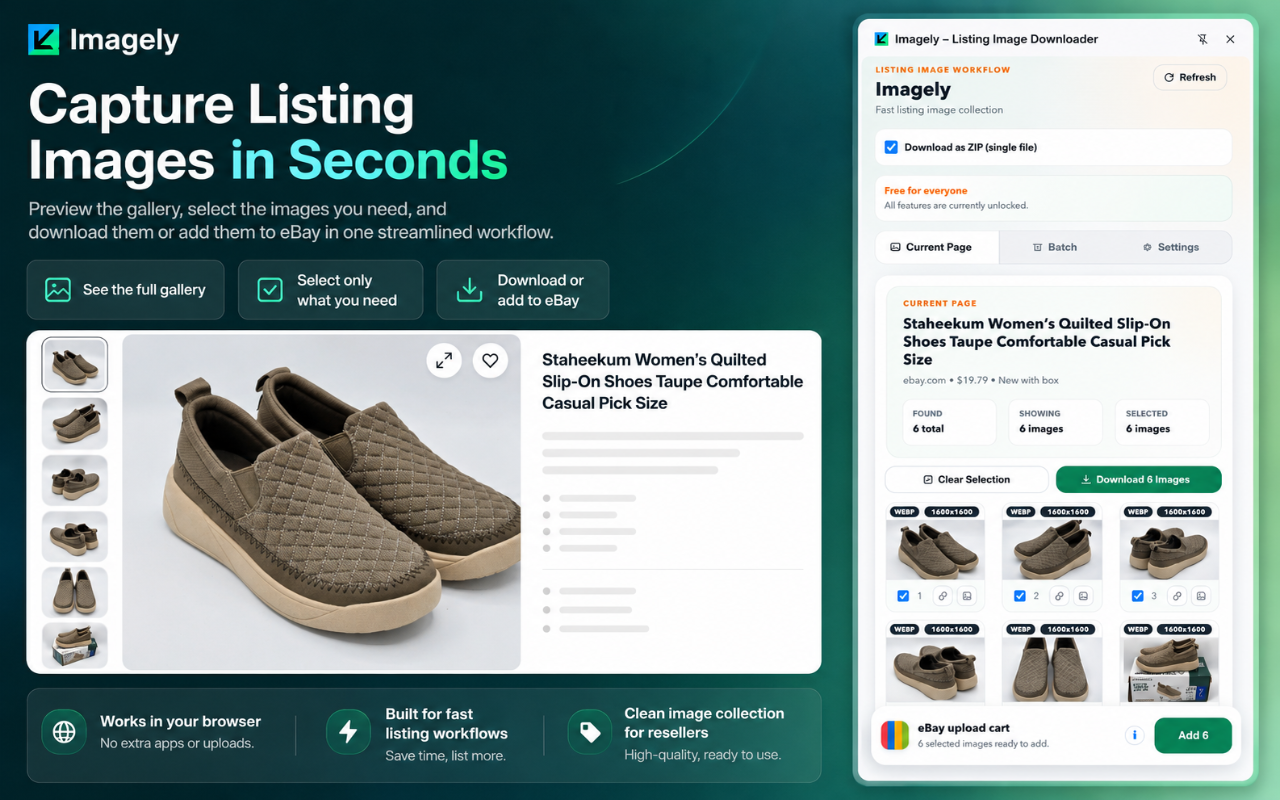
See the full gallery fast.
Get a cleaner view of listing images without digging through the page by hand.
Chrome extension for sellers and listing-heavy teams
Open a listing, preview the gallery, keep the images you want, and move them where they need to go without the usual download mess.
Batch Workspace
Save listings into named collections. Download selected groups together when you're ready.eBay Handoff
Save now, send later. Keep a selected image group ready for your eBay listing.Get a cleaner view of listing images without digging through the page by hand.
Review, choose, and act on the right images before they ever become clutter in your downloads folder.
Use one workflow whether you need a quick save, a grouped ZIP, or an eBay-ready image set.
Workflow
Start on the current listing, keep what matters, organize multi-listing work when needed, and hand images off to eBay without extra steps.
Current Page
The extension scans the page you are already on, surfaces the detected image set, and gives you a cleaner starting point than manual saving.
Selection
The selection flow is about speed and clarity: review the gallery, mark the images you want, then download them or add them to your eBay upload cart.
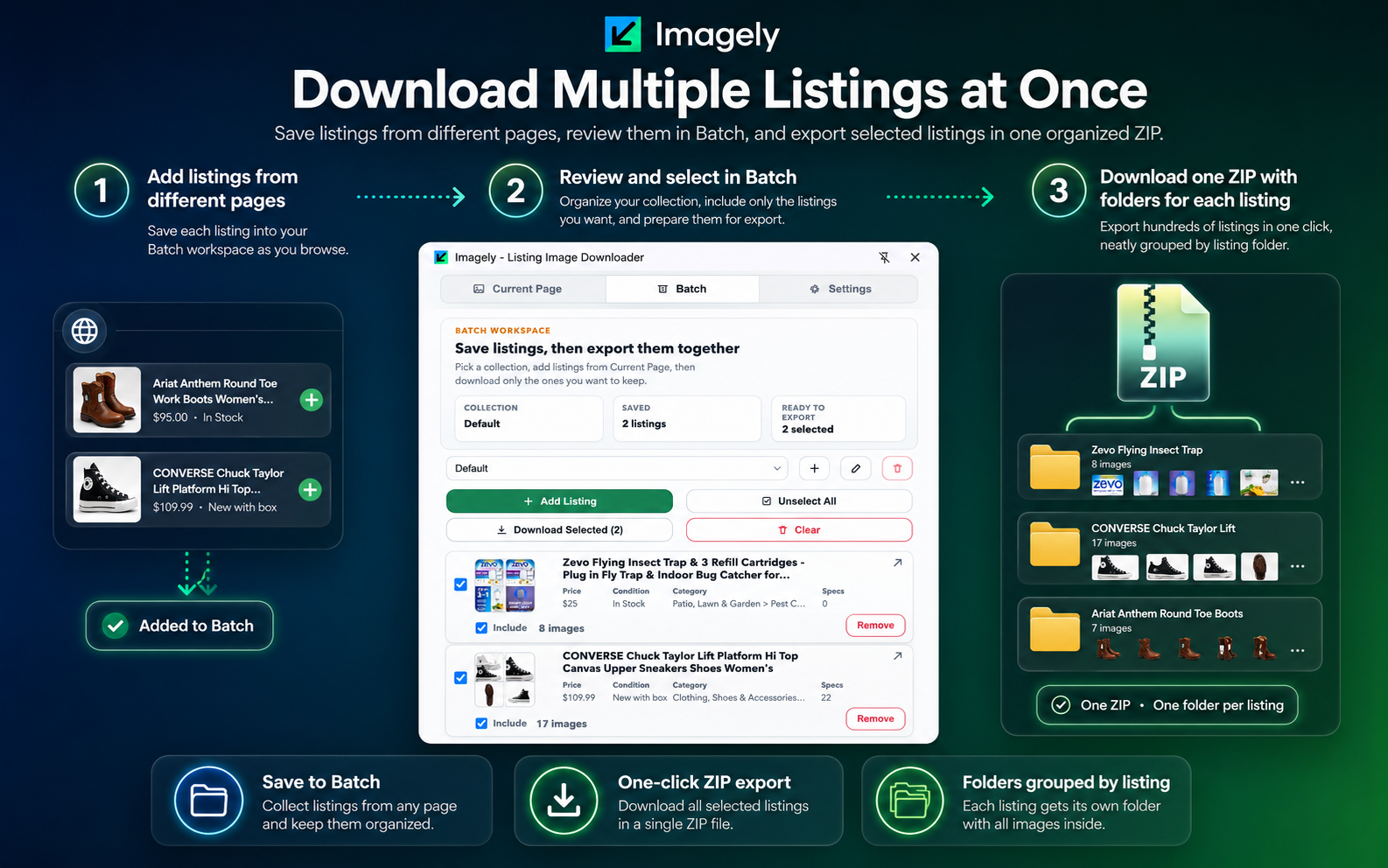
Batch Workspace
Save listings into collections, decide which ones to include, and download only the parts of the batch you actually want.
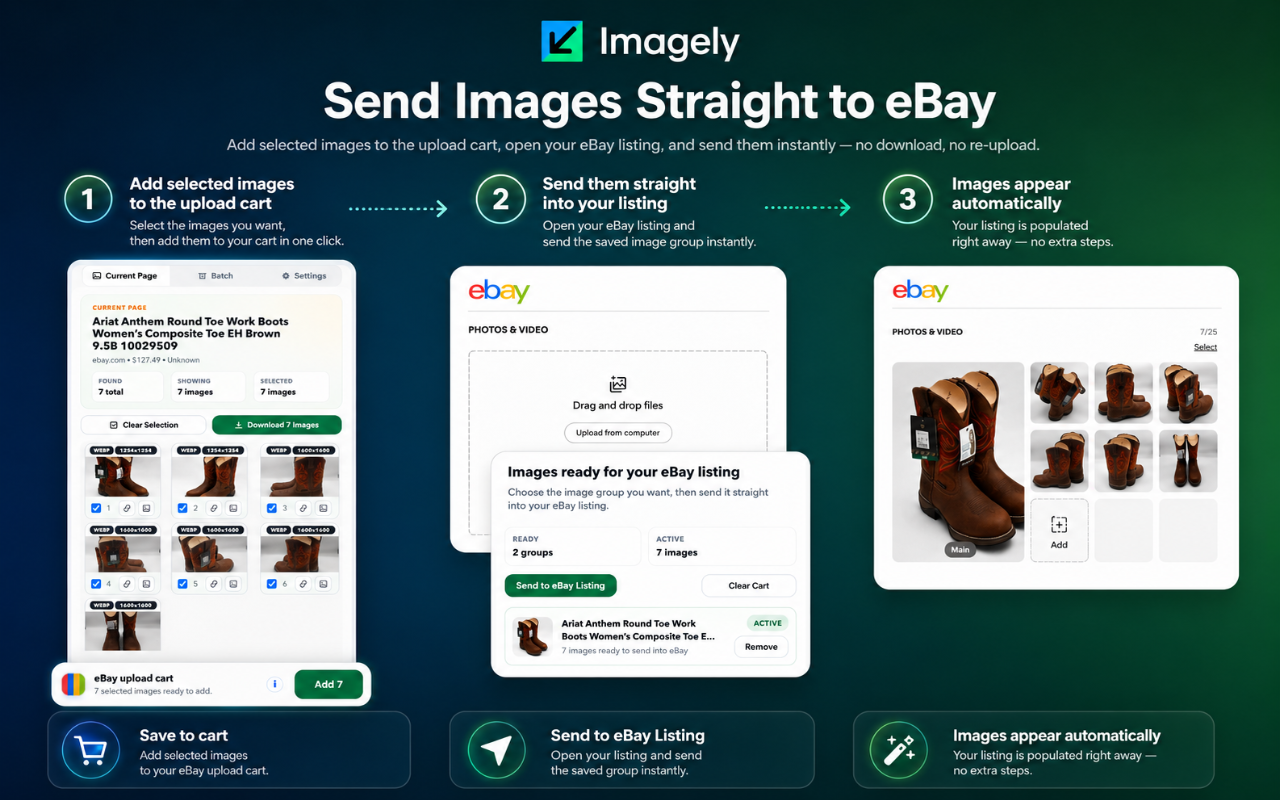
eBay Handoff
Instead of downloading and re-uploading the same files, Imagely can keep a prepared group ready, then hand it off when your eBay listing editor is open.
Feature Set
Scan the listing you are already viewing and work from a focused image set instead of the full page source.
Preview the gallery, choose only the images you want, and avoid clutter before anything gets exported.
Choose between single-file ZIP export or direct file downloads depending on how messy the browser flow would be.
Save listings into named collections, re-open them later, and export only the groups you still want.
Keep selected image groups ready for an eBay listing editor instead of forcing a separate manual prep step.
Popup and side panel views support different browsing habits without splitting the product into different tools.
Highlights
These are the moments Imagely is designed to make easier when you are pulling images from one page or many.
Current Page
Batch
eBay
FAQ
It scans listing pages, lets you review and select detected images, and exports cleaner downloads through direct file saving or ZIP mode.
Yes. Batch lets you collect listings into one workspace, review them together, and export only the groups you want to keep.
Yes. You can save a selected image group to the eBay upload cart, open your listing editor, and send that group in from there.
Because it solves a real browser pain point. If multiple download prompts become annoying, ZIP mode makes the workflow much cleaner.
No. Users can switch between popup and side panel mode depending on how they prefer to browse listing pages.
Yes. The extension includes multiple localized interfaces and handles right-to-left layouts for supported languages.
Install Imagely
Install the extension, test the workflow on a real listing, and keep only the images you actually want.
Install on Chrome